
The Year
A private photo calendar
The Year is a private photo calendar you fill in as the months pass. One link holds January through December. Each person who opens it keeps their own year.
Go to The Year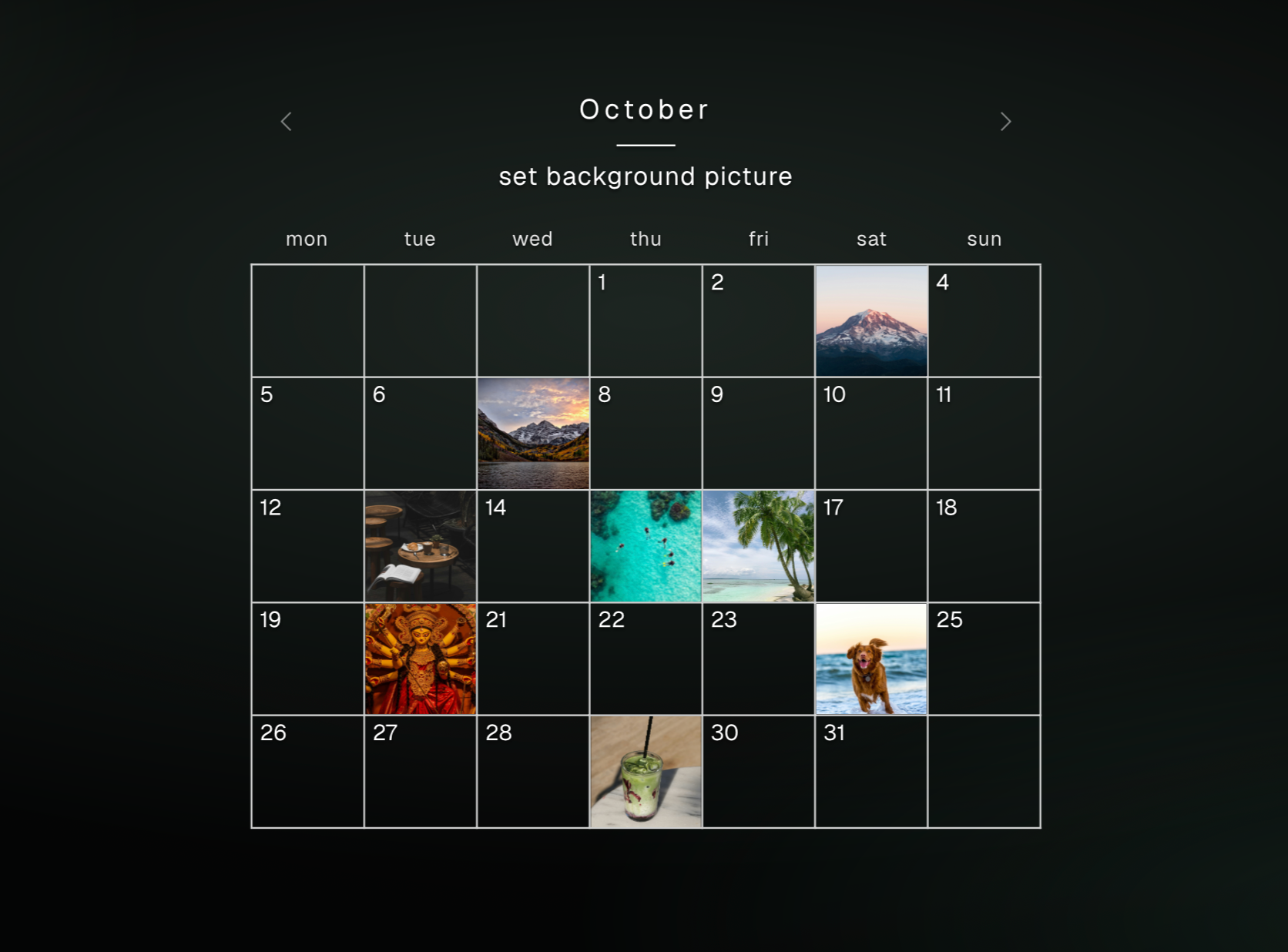
The Year · monthly calendar view
A month, held in a photograph
A month is one photograph with a thin calendar laid on it. The photograph behind the month is separate from the days.
- Set background picture sets the photograph behind that particular month's calendar.
- Delete background picture removes only that month's photograph.
- January does not change June. Each month has its own background, independent of the other months and the pictures attached to individual days.
Month background photo, with individual pictures on days 1, 2, 5, and 6. Days 3 and 4 remain empty.
A day, one picture and a note
A day can hold one picture and a short note. Empty days stay empty, with just the number.
- Opening a day lets the person add its picture.
- The picture remains attached to that day; it never becomes the month's background.
- Delete picture removes the day's picture while preserving its note.
- Empty days remain visually simple, showing only the day number.
Saving, without a save button
Saving happens as you add things. There is no save button.
- Pictures and notes stay in that browser, on that phone or computer.
- Opening the same link on the same device brings that person's year back.
- Opening the link on another device, or sharing it with another person, starts a separate year.
- Nothing is uploaded to GitHub. The repository only holds the empty calendar.
Memories, played in order
A memory is the pictures from a finished stretch of time, played in order.
A month that is still in progress cannot be played. Once a month has ended and contains at least one picture, a quiet link appears beneath its calendar, such as april's memory. Playback begins only when the person selects that link.
- The memory opens with the month's name and the word memory, then shows each picture with its date, a count such as 2 of 6, and the note if one exists.
- Days without pictures are skipped.
- back to april returns to the calendar. Clicking or pressing Escape also exits the memory.
- After December 31, the link beneath December reads the year's memory. Selecting it plays every picture from January through December in order.
One year. Twelve months. The moments you choose to keep.
Go to The Year