ENTRY
One way in. Choose files or folder, instead of a row of upload controls.
 Divya Ray
ON-DEVICE AI · CREATIVE TOOL
A camera roll that sorts itself.
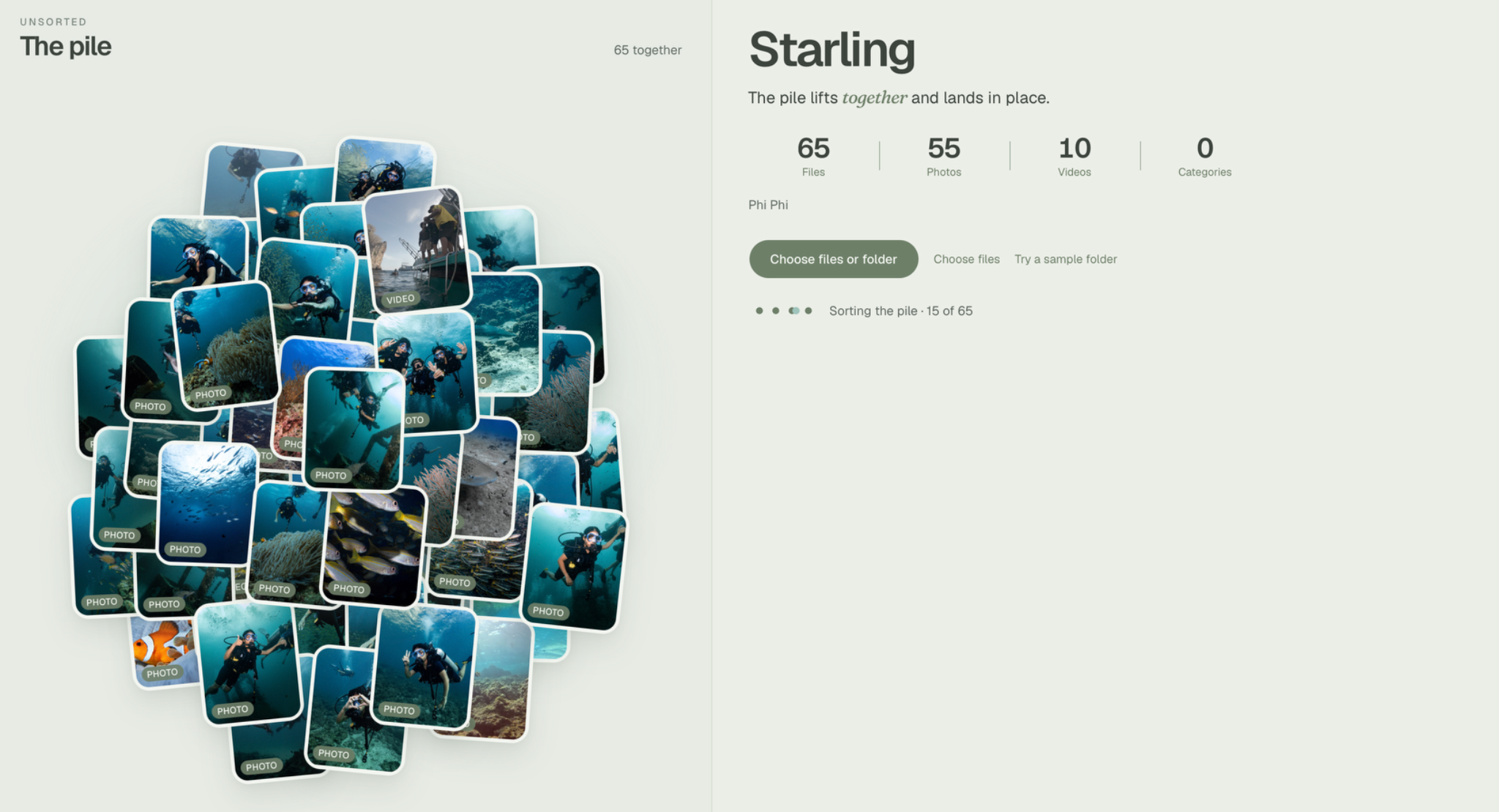
Starling is an on-device sorting agent for a camera roll. You bring a set of photos and videos. They stay on your machine. They wait as one pile, then lift together into categories that exist only because a picture belongs in them.
Coming back from a trip means coming back with a stream: landscapes, food, people, and the videos you meant to watch later. The exciting part is over. What is left is the roll, and the work of making it make sense.
I wanted that work to feel less like filing and more like watching a set find its place.
One pile. One flight. A place for every picture.
01 / THE PROBLEM
A trip can leave hundreds of files in one roll. Finding a moment means scrolling, or making folders by hand and moving files one at a time. Most organisation tools hand that job back to the person who just lived the trip.
I wanted the opposite first step. Bring the set. The agent does the first sort. You step in only when it is wrong.
The goal was not another gallery. It was to remove the repetitive work between capturing a memory and being able to find it.
02 / THE CONCEPT
Starling is not a library you grow forever. It is an agent with a narrow task. You give it one collection. It looks at what is actually in the files. It makes a place only when something belongs there. Then it hands the result back.
The interaction is a flock.

Gather. The selection comes in as one pile. Nothing leaves early.

Read. Each file is understood on the machine, before anything moves.

Take flight. When the whole set is ready, it lifts together.

Land. Each file settles in the category it earned.
The flight is the agent’s work made visible. You see a pile become a structure in one move, instead of watching a list get processed file by file.
03 / THE EXPERIENCE
There is one way in: Choose files or folder. Files and a folder join the same session. The pile holds them until every file from that pick has been read. Only then does the collection lift and land.
That wait is deliberate. If photos left one by one, the sort would feel like a queue. Holding the pile makes the change one event.
Everything waits together

The full set moves together
Only where a picture belongs
Categories are not a template. Fish, Diving, and Boats appear for one roll. Food, Landscape, and Portrait appear for another. An empty label never sits on the page waiting for a photo that may not exist.
04 / HOW THE AGENT DECIDES
Personal photos stay in the browser for the whole sort. The agent is a vision model running on the device. It does not upload the roll, and it does not need an account.
Photos. Each image is scored against short visual ideas: a reef fish, a diver, a boat, a plate of food, a face, a street. The strongest match wins. When two ideas are close, the more specific one is kept. Fish beats a vague animal. Diving beats a vague water. A boat beats a generic vehicle. That bias is why an ocean roll can separate, instead of collapsing into one bucket.
Videos. One frame is a poor witness. The agent reads three: near the start, the middle, and the end. Their scores are combined, so a single odd moment does not name the clip.
HEIC. Phone photos often arrive as HEIC. They are decoded on the machine and read the same way as a JPEG. The file you download is still the original.
On-device by design. Personal photos stay in the browser throughout the sort. Nothing is uploaded.
The agent is good at visual likeness. It does not know the mood, the story, or which moment mattered. That limit is why the next step exists.
05 / YOU KEEP THE LAST MOVE
A frame can hold more than one subject. The important thing in a photo is not always what the model weighs most.
You move a photo into another category. The row you drop it on becomes its place. The counts follow. When a category loses its last file, it disappears.
Download folders writes a zip of real folders. The files inside are the originals, including HEIC, in the categories after your corrections. The agent does not keep a copy.
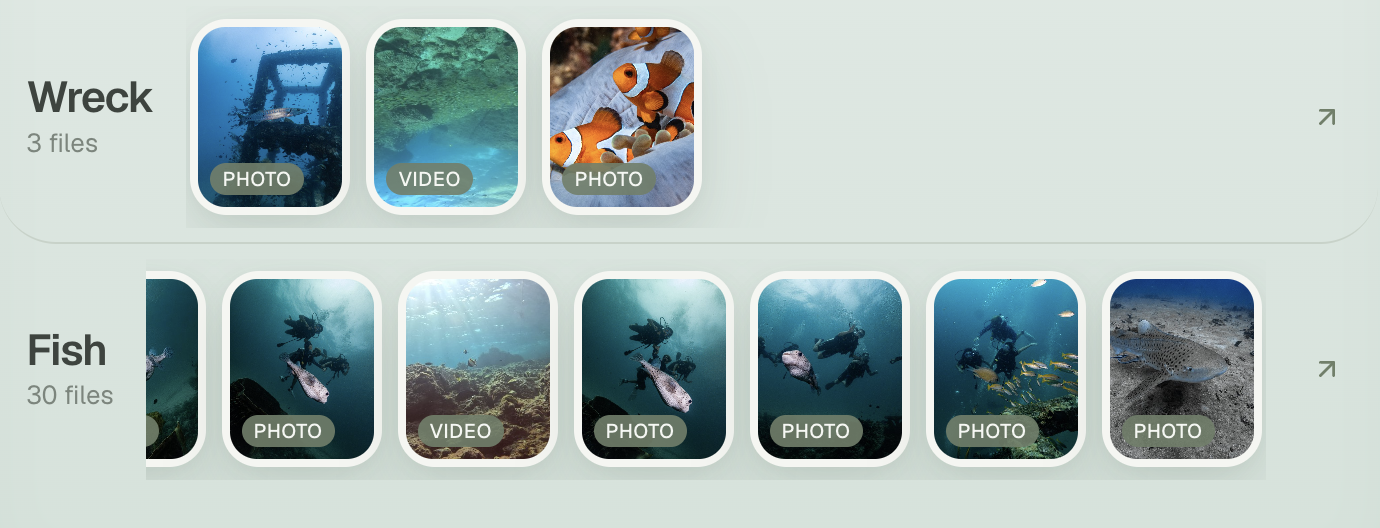 BeforeOne photo is placed under Landscapes.
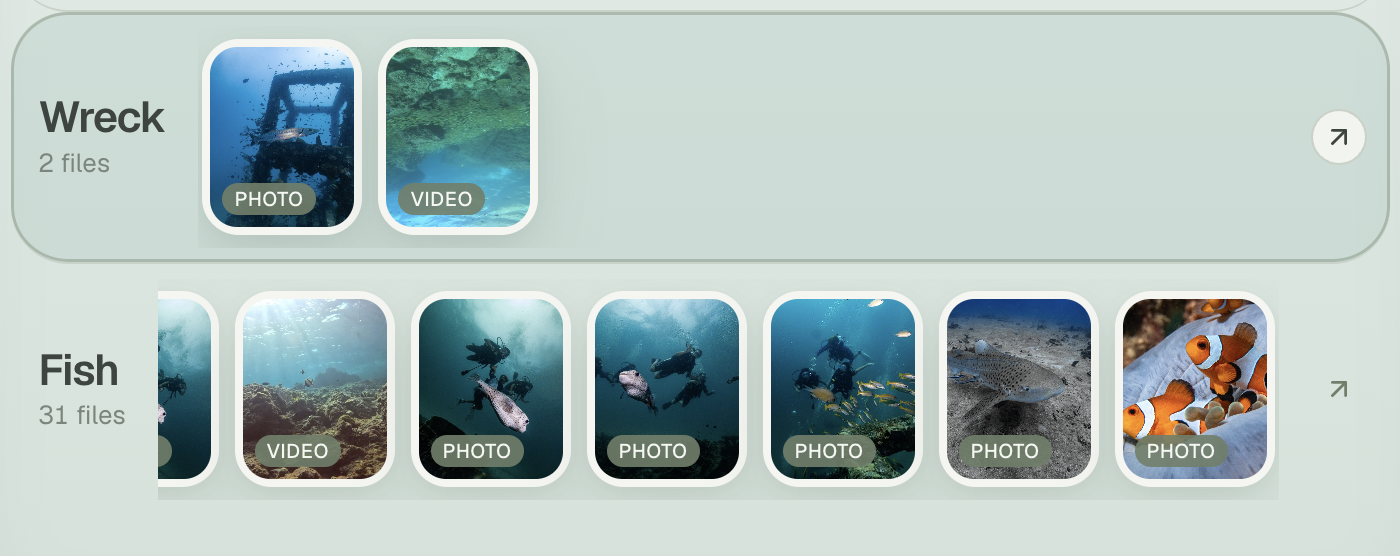 Your correctionMove the photo to the category that fits better.
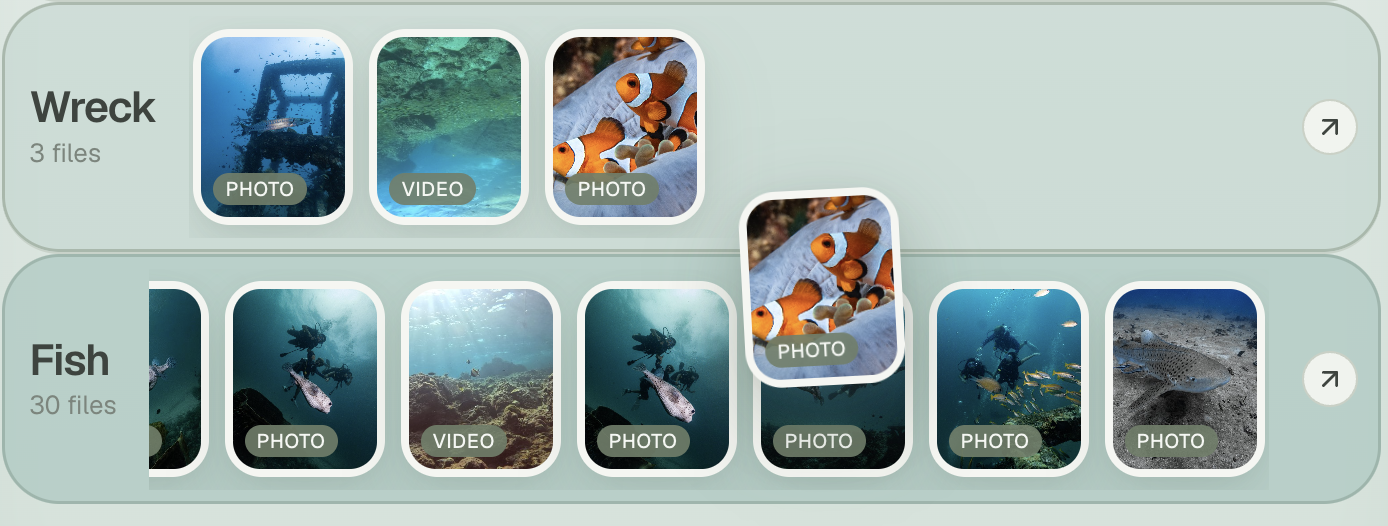 AfterCounts update. Empty categories disappear.
06 / A SESSION HAS AN ENDING
Everything you add in a session stays. More files join what is already sorted. Choosing the same folder again adds only files that are not already in this session. A file counts as the same when its name, size, and modified time match, including two copies in one folder that match on all three. The agent reads the picture when it chooses a category. Those three details decide whether the file is already here. You review, correct, and download.
Sort another set, or a fresh visit, starts empty. Nothing is kept between sessions.
That boundary is the product. Starling organises one trip, or one event, and then it is done. It does not try to be the home for every photo you have ever taken.
07 / DECISIONS
One way in. Choose files or folder, instead of a row of upload controls.
No category until a photo earns it. A preset list would file the ocean under Water and hide the trip.
The whole set moves together. The agent finishes reading before the flock lifts. The motion is the system, explained.
Local is the architecture. There is no upload step to turn off.
The first answer is not the last one. The agent does the repetitive pass. You keep the judgement.
08 / OUTCOME
Starling takes one unsorted roll and returns a structure based on what is in it. The agent does the first sort on the device. You correct what it missed. Then the session ends.
It is not a photo manager. It is the step between a full camera roll and folders you can use.
REFLECTION
The hard part was not getting a model to name a photograph. It was deciding what the agent is allowed to do.
It may read the files. It may wait. It may place them. It may not upload them, invent empty categories, or treat its first guess as final. The pile is the wait. The flight is the decision, made visible. The move you make by hand is the part the model cannot know.
Automation is worth having when it takes the repetitive work and leaves the judgement.