ENTERPRISE UX · PRODUCT DESIGN
IBM Supply Chain Ensemble
Designing a connected supply chain experience, from operational visibility to intelligent action.
PROJECTEnterprise Supply Chain Platform
PLATFORMIBM Consulting Supply Chain Ensemble on AWS
FOCUSEnterprise UX, Supply Chain Transformation, AI-powered Experiences
01 / OVERVIEW
Connecting supply chain capabilities in one adaptable ecosystem.
Supply chains operate across procurement, demand planning, inventory, logistics and supplier networks. Each function generates critical information, but connecting that information into a shared understanding of what is happening — and what needs attention — remains a challenge.
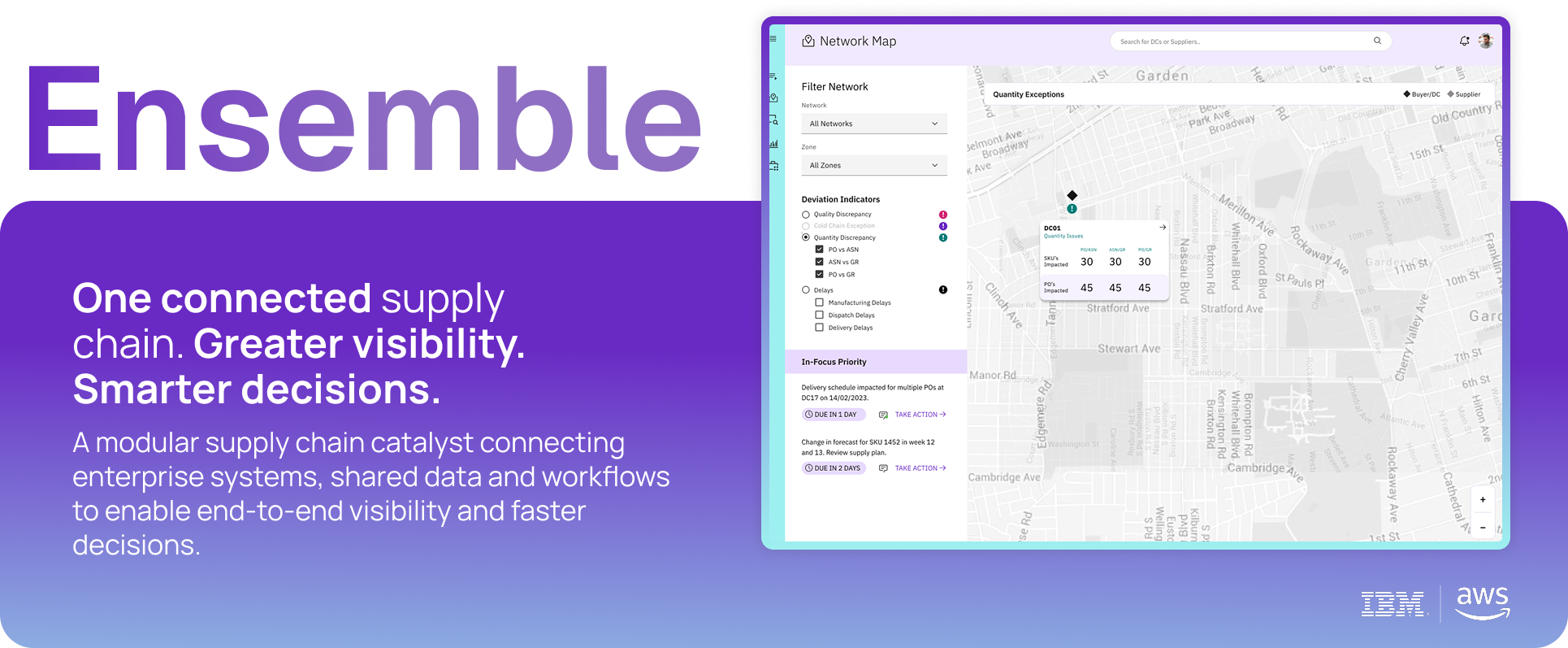
IBM Consulting Supply Chain Ensemble addresses this through a modular, reusable framework that brings together supply chain capabilities, shared data foundations and configurable workflows. Co-created by IBM Consulting and AWS, the platform combines IBM's supply chain and data expertise with AWS infrastructure and services.
My focus was on shaping the product experience across these interconnected capabilities: making operational information easier to understand, helping users investigate issues and supporting better decisions through contextual workflows and generative AI.
02 / THE PROBLEM
Supply chain information existed, but making sense of it was difficult.
01Fragmented information
Information across procurement, inventory, logistics and supplier operations was spread across enterprise systems and external partners. Users needed to bring together different pieces of information to understand the status of an order, inventory position or operational issue.
02Reactive operations
Teams spent time identifying disruptions, investigating discrepancies and responding to exceptions. Without a clear view of what had changed or where attention was needed, it could be difficult to respond proactively.
03Disconnected decisions
Different teams had different responsibilities, priorities and information needs. A procurement manager needed to understand supplier commitments, while an inventory planner needed to anticipate future stock requirements. Yet their decisions were often connected.
Translating the problem into design questions
01
Visibility
How might we make complex operational information easier to understand?
02
Relevance
How might we help different users find the information relevant to their responsibilities?
03
Intelligent action
How might we help users investigate issues, identify appropriate resolutions and take action with the support of AI?
03 / PRODUCT UNDERSTANDING
One connected supply chain ecosystem. Multiple business use cases.
Ensemble is not a standalone inventory application or a traditional control tower. It is a modular supply chain framework designed to connect operational information, enterprise systems, partners and intelligent capabilities.
The platform brings together four foundational principles
01One supply chain data model
A common network data model that connects information across enterprise systems, partners and supply chain activities.
Ecosystem collaboration
Connecting the people, partners and processes involved in supply chain operations.
End-to-end visibility
Making activity across supply chain functions easier to understand through connected information and traceability.
Near-real-time intelligence
Supporting faster planning, monitoring and responses through timely operational information.
A broad operational ecosystem
Planning and Procurement
- Demand planning
- Route planning
- Tendering and contract management
- Spot purchases
Logistics and Visibility
- Inbound and outbound logistics
- Real-time shipment visibility
- Fleet utilization
- Multi-tier visibility and traceability
Risk and Resilience
- Predictive disruption management
- Carbon footprint tracking
- Exception management
- Collaborative risk mitigation
Intelligent Operations
- Predictive and prescriptive analytics
- Next Best Actions
- Generative AI assistance
- Intelligent forecasting
04 / FLEXIBILITY & REUSABILITY
Designed to adapt, not start from scratch.
Its modular architecture allows organizations to build on their existing systems and investments rather than replacing everything with a single standardized solution. The framework supports reusable supply chain components, configurable business workflows, integration with existing enterprise applications, a common network data model and scalable deployment.
From a product experience perspective, this meant designing for different operational contexts and user needs without assuming every organization would use the platform in exactly the same way.
VISUAL PLACEHOLDERENSEMBLE FLEXIBILITY AND REUSABILITYExisting visual placement retained; source visual not present in this archive
05 / BUSINESS OUTCOMES
Better visibility. Faster decisions. More responsive operations.
Ensemble was designed to help organizations improve supply chain performance through connected information, collaboration, predictive intelligence and more informed decision-making.
5–10%
Reduced cost-to-serve
10–20%
Improved labour efficiency
10–15%
Reduced excess inventory
2–5%
Improved in-stock service levels
50–80%
Faster time to decision
1–2
Quarters for rapid deployment
06 / UNDERSTANDING THE USERS
Designing for the people behind the supply chain decisions.
Ensemble supports a broad range of supply chain activities. That means its users do not all approach the product with the same goals, responsibilities or information needs.
01
Procurement / Sourcing Manager
PRIMARY GOAL
Keep purchase orders and supplier commitments on track.
Responsibilities
Monitor purchase orders.
Review supplier commitments.
Track order progress.
Identify delays and discrepancies.
Coordinate with suppliers and internal teams.
Key decisions
Which purchase orders need attention?
Has an order progressed as expected?
Where has a delay or discrepancy occurred?
Information needs
Purchase order details.
Supplier and order status.
Confirmation information.
Advance shipment notifications.
Production, transportation and goods receipt progress.
Current friction
Limited visibility into the complete order journey.
Difficulty identifying where progress has stalled.
Disconnected information across order stages.
Design opportunity
A purchase order experience that communicates lifecycle progress and makes important order details and discrepancies easier to understand.
What success looks like
Better visibility into supplier commitments and order progress.
02
Demand Planner
PRIMARY GOAL
Maintain a reliable view of demand and identify changes that could affect planning decisions.
Responsibilities
Review demand forecasts.
Monitor forecast changes.
Compare demand against business expectations.
Investigate missing or inconsistent planning information.
Key decisions
Which forecast changes require attention?
Which products have planning gaps?
Where does demand differ from business expectations?
Information needs
Product and SKU-level forecast information.
Weekly demand projections.
Forecast change indicators.
Consensus demand and AOP comparisons.
Product lifecycle and launch information.
Current friction
Difficulty identifying meaningful forecast changes.
Missing information affecting planning.
Time spent investigating differences across products.
Design opportunity
A planning experience that highlights changes, makes forecast information easier to compare and supports investigation of planning gaps.
What success looks like
Greater clarity when reviewing forecasts and identifying issues that need resolution.
03
Inventory Manager
PRIMARY GOAL
Maintain healthy inventory levels and understand current stock availability.
Responsibilities
Monitor on-hand inventory.
Track in-transit stock and supplier commitments.
Review inventory health across locations.
Identify discrepancies and non-compliant inventory.
Key decisions
Where is inventory running low?
Which locations have excess stock?
Is the reported inventory position reliable?
Which discrepancies need investigation?
Information needs
On-hand inventory.
In-transit inventory.
Supplier commitments.
Days of inventory.
Inventory status by location.
ERP and RFID comparisons.
Current friction
Inventory information spread across sources.
Difficulty understanding stock availability across locations.
Limited visibility into discrepancies and inventory status.
Design opportunity
An inventory overview that brings the important stock indicators together and helps users identify where inventory needs attention.
What success looks like
A clearer understanding of current inventory health and availability.
04
Inventory Planner
PRIMARY GOAL
Anticipate future inventory requirements and avoid overstock or stockout situations.
Responsibilities
Review projected inventory.
Monitor demand and supply changes.
Evaluate safety stock levels.
Consider upcoming deliveries and inventory requirements.
Key decisions
Will inventory remain within the required thresholds?
Which products may become overstocked or understocked?
Where could a stockout occur?
What needs to change in the plan?
Information needs
Projected inventory.
Safety stock thresholds.
Excess inventory indicators.
Upcoming deliveries.
Demand forecasts.
Inventory trends over time.
Current friction
Difficulty understanding how current stock will change.
Having to compare demand, inventory and delivery information.
Identifying future issues too late.
Design opportunity
A forward-looking inventory experience that makes projected stock positions and potential risks easier to understand.
What success looks like
Better visibility into future inventory positions and earlier identification of potential issues.
05
Logistics / Operations Manager
PRIMARY GOAL
Monitor the movement of goods and maintain visibility across transportation activities.
Responsibilities
Monitor inbound and outbound shipments.
Track shipment progress.
Review delivery status.
Coordinate transportation activities.
Identify potential disruptions.
Key decisions
Where is a shipment?
Is a delivery progressing as expected?
Which route or shipment needs attention?
What operational disruption could affect delivery?
Information needs
Shipment status and location.
Inbound and outbound logistics information.
Route and delivery information.
Fleet utilization.
Disruption alerts.
Multi-tier shipment visibility.
Current friction
Limited visibility across shipment journeys.
Difficulty identifying delays across multiple locations.
Time spent coordinating information between parties.
Design opportunity
A logistics experience that makes shipment movement, location and delivery status easier to monitor.
What success looks like
Better visibility into transportation activity and more informed operational responses.
Persona synthesis
Across these roles, a few common experience needs emerged:
01Visibility
PRODUCT EXPERIENCE
A clear view of relevant operational information.
02Context
PRODUCT EXPERIENCE
Details that explain a status, change or exception.
03Prioritization
PRODUCT EXPERIENCE
A way to recognize what needs attention.
04Investigation
PRODUCT EXPERIENCE
Access to the information behind an issue.
05Action
PRODUCT EXPERIENCE
A clear path to progress the task.
06Assistance
PRODUCT EXPERIENCE
A more direct way to ask questions and retrieve information.
07 / DISCOVERY
Understanding the work behind the interface.
01Operational workflows
Understanding the relationships between purchase orders, advance shipment notifications, production, transportation and goods receipt, as well as the connections between inventory, supplier commitments and demand forecasts.
02Information needs
Identifying what users needed to see immediately, what required further investigation and which information mattered at different stages of a task.
03User responsibilities
Understanding how the needs of supply chain managers, procurement teams, inventory managers, planners and logistics teams differed.
04AI interaction opportunities
Reviewing the Digital Assistant scenarios to understand the questions users asked, the information returned and the actions supported.
08 / EXPERIENCE STRATEGY
From operational visibility to informed action.
01SeeOperational visibility
Give users a clear understanding of what is happening through dashboards, KPIs, status indicators and operational summaries.
02UnderstandInvestigation and context
Help users move beyond a summary to explore the details behind an order, inventory position, forecast or exception.
03ActWorkflows and intelligent assistance
Support users in progressing their work through contextual workflows, recommended Next Best Actions, collaborative processes and the Digital Assistant.
A dashboard should not simply display information. It should help users recognize something important, understand its implications and determine what to do next.
09 / INFORMATION ARCHITECTURE
Organizing the product around supply chain activities.
The breadth of Ensemble meant users needed a clear way to navigate between different operational areas.
VISUAL PLACEHOLDERINFORMATION ARCHITECTURE / NAVIGATIONExisting visual placement retained; source visual not present in this archive
10 / THE SOLUTION
01 / OPERATIONAL VISIBILITY
Making purchase order progress easier to understand.
A purchase order is more than a record or a status. It moves through confirmation, advance shipment notification, production, transportation and goods receipt. The experience needed to make this progression understandable and help procurement managers identify where attention was required.
01
Purchase order management
A purchase order moves through several stages, from confirmation and advance shipment notification to production, transportation and goods receipt.
The experience needed to make this progression understandable and help procurement managers identify where attention was required.
DESIGN FOCUS
01Purchase order listing and discovery.
02Clear purchase order details.
04Status and discrepancy visibility.
06In-focus alerts & priorities.
VISUAL PLACEHOLDERPURCHASE ORDER LISTOriginal Ensemble visual to be added
VISUAL PLACEHOLDERPURCHASE ORDER DETAILSOriginal Ensemble visual to be added
VISUAL PLACEHOLDERPURCHASE ORDER LIFECYCLEOriginal Ensemble visual to be added
Understanding current inventory health across locations.
Inventory cannot be understood through on-hand quantities alone. Users also need to consider in-transit inventory, supplier commitments, non-compliant stock and days of inventory. The experience brought these indicators together with distribution centre breakdowns and inventory status.
02
Inventory visibility
Inventory cannot be understood through on-hand quantities alone. Users also need to consider in-transit inventory, supplier commitments, non-compliant stock and days of inventory.
The demonstrated experience brought these indicators together with distribution centre breakdowns and inventory status.
DESIGN FOCUS
02Stock health and availability.
03Location-based breakdowns.
04Understock, overstock, stockout and balanced states.
05ERP and RFID comparison.
VISUAL PLACEHOLDERINVENTORY DASHBOARDOriginal Ensemble visual to be added
VISUAL PLACEHOLDERINVENTORY KPIs AND LOCATION BREAKDOWNOriginal Ensemble visual to be added
VISUAL PLACEHOLDERINVENTORY STATUS / ERP AND RFID COMPARISONOriginal Ensemble visual to be added
Moving from current stock positions to future inventory requirements.
Planning requires a forward-looking perspective. Users need to understand how inventory may change and whether it will remain within the required thresholds. The demonstrated experience included a four-week inventory projection, safety stock and excess inventory thresholds, delivery information and forecast changes.
03
Inventory and demand planning
Planning requires a forward-looking perspective. Users need to understand how inventory may change and whether it will remain within the required thresholds.
The demonstrated experience included a four-week inventory projection, safety stock and excess inventory thresholds, delivery information and forecast changes.
DESIGN FOCUS
01Projected inventory over time.
02Safety stock and excess inventory thresholds.
03Forecast change indicators.
04Delivery and shipment context.
05Potential stock issues.
VISUAL PLACEHOLDERFOUR-WEEK INVENTORY PROJECTIONOriginal Ensemble visual to be added
VISUAL PLACEHOLDERFORECAST CHANGEOriginal Ensemble visual to be added
VISUAL PLACEHOLDERDELIVERY / SHIPMENT CONTEXTOriginal Ensemble visual to be added
02 / EXCEPTION MANAGEMENT & RESOLUTION
Moving from identifying exceptions to progressing a resolution.
One of Ensemble's important capabilities is its ability to recommend Next Best Actions for managing supply chain exceptions.
The platform combines pre-configured business rules, intelligent analytics and collaborative workflows to help users mitigate risks, resolve discrepancies and respond to operational incidents. This extends the experience beyond monitoring and investigation.
A user should be able to understand an issue, see its implications and identify an appropriate next step.
FROM EXCEPTION TO ACTION
01Identify
Surface an exception or operational discrepancy that requires attention.
02Investigate
Understand the affected products, locations, orders, suppliers and relevant operational context.
03Recommend
Present a suitable Next Best Action using business rules and available analytical insights.
04Collaborate
Bring relevant teams or supply chain partners into the resolution process.
05Progress
Support the user in reviewing and progressing the action through the appropriate workflow.
The experience
The Next Best Action and Resolution screens demonstrate how Ensemble moves beyond displaying operational issues to supporting the decisions and actions needed to address them.
ORIGINAL PRODUCT SCREEN REQUIREDNEXT BEST ACTIONThe source screenshot was not present in the latest portfolio archive.
ORIGINAL PRODUCT SCREEN REQUIREDRESOLUTIONThe source screenshot was not present in the latest portfolio archive.
03 / NETWORK VISIBILITY & COLLABORATION
Connecting information across the supply chain network.
A supply chain decision often depends on information beyond an individual order or inventory location. Ensemble brings together network information to help organizations understand relationships between suppliers, inventory, purchase orders and production capacity.
01
End-to-end traceability
The platform combines blockchain, AI and IoT information to support the tracking of goods and provide time-stamped transaction visibility. This helps organizations investigate delays, discrepancies, compliance issues and other disruptions.
02
Multi-tier supplier visibility
The multi-tier supplier view provides a broader understanding of relationships across the supplier network. By visualizing connections between entities, users can better understand dependencies, coordinate with partners and assess potential supply chain risks.
03
Supplier performance & operations
Review supplier profiles, approval status, ratings, inventory availability and sales order activity to understand supplier performance and operational readiness.
04
Network-level visibility
The experience extends beyond individual operational records to help users understand the relationships and dependencies across the wider supply chain.
ORIGINAL PRODUCT SCREEN REQUIREDCONSOLIDATED NETWORK MAPThe source screenshot was not present in the latest portfolio archive.
ORIGINAL PRODUCT SCREEN REQUIREDMULTI-TIER SUPPLIER VISIBILITYThe source screenshot was not present in the latest portfolio archive.
04 / INTELLIGENT ASSISTANCE
Moving from navigating information to asking questions.
The Digital Assistant introduced a conversational way for users to interact with supply chain information.
Instead of having to locate a particular screen or manually assemble information, users could ask questions in natural language.
Ensemble's generative AI capabilities also support answering questions about supply chain data, generating stakeholder communication templates, identifying discrepancies and recommending resolutions.
My focus was on making the assistant useful for actual supply chain tasks rather than treating it as a chat interface added to the product.
Five demonstrated scenarios
01Finding planning gaps
A user asks which products have consensus demand but no sales in the previous six weeks. The assistant identifies the relevant products and quantities, helping the user understand which planning areas need further investigation.
VISUAL PLACEHOLDERCONSENSUS PLAN READINESSOriginal Ensemble visual to be added
02Identifying missing forecast information
A user asks about products missing from forecasting. The assistant identifies new products with missing launch dates and provides a link to relevant product lifecycle information.
VISUAL PLACEHOLDERMISSING PRODUCTS IN FORECASTINGOriginal Ensemble visual to be added
03Investigating forecast publishing issues
A user asks about products preventing forecasts from being published. The assistant identifies products that are not active at manufacturing sites and prepares a notification with a report for relevant stakeholders.
VISUAL PLACEHOLDERFORECAST PUBLISHING ISSUEOriginal Ensemble visual to be added
04Retrieving process guidance
A user asks how to configure product-mix ratios. The assistant retrieves relevant documentation and provides steps with supporting source documents.
VISUAL PLACEHOLDERPRODUCT-MIX GUIDANCEOriginal Ensemble visual to be added
05Supporting S&OP review
A user asks which products have a gap greater than 5% between consensus demand and AOP revenue. The assistant helps surface the relevant products for review.
VISUAL PLACEHOLDERS&OP DEMAND REVIEWOriginal Ensemble visual to be added
Making the response as useful as the question.
A conversational interface is only useful when the response helps users understand what they need to do. I considered different response patterns based on the user's intent.
01Structured responses
When users ask questions involving products, quantities or comparisons, structured tables make the information easier to scan.
Contextual guidance
When users ask how to complete a process, clear steps and supporting documents help them understand the answer.
Relevant links
When further investigation is required, links provide a route to the related business information.
Action-oriented interactions
When the assistant prepares a report or notification, users need to understand what has been prepared and what will happen next.
Keeping users in control
One particularly useful demonstration was the notification workflow. After reviewing the assistant's findings, the user asks it to notify the sales team. The assistant prepares an email with an attached report, which is sent after the user confirms.
This reinforced an important principle in my AI product design approach: users should remain informed and in control when AI supports actions that affect other people or business workflows.
One platform. Connected operational experiences.
Together, these capabilities support different stages of supply chain work.
Users can monitor operational performance, understand inventory and demand, investigate exceptions, connect information across the supplier network and use intelligent assistance to progress their work.
These are not separate products or independent destinations. They are connected capabilities within Ensemble, designed around the different responsibilities and workflows of supply chain users.
11 / DESIGN DECISIONS
Five decisions that shaped the experience.
01 — Design around user decisions, not just functions
Different supply chain roles have different questions. I considered what each user needed to understand and act on rather than applying the same information structure everywhere.
02 — Separate current inventory health from future planning
Inventory management and inventory planning have different time horizons. Distinguishing these needs helped make the experiences more relevant.
03 — Make operational information actionable
Dashboards should help users recognize what needs attention, understand the context and provide a path into the relevant details and resolution workflows.
04 — Match AI responses to user intent
A question requiring comparison should return structured information. A question about a process should provide guidance. A request for communication should have a clear action flow.
05 — Keep users in control of AI-supported actions
The assistant should make work easier without making important actions feel invisible. Review, confirmation and clear feedback are important parts of the interaction.
12 / REFLECTION
Designing for the decisions behind the supply chain.
Designing Ensemble meant working with a product that spanned multiple supply chain functions, different user responsibilities, interconnected data and several ways of interacting with information.
The challenge was not simply to simplify complex data or create individual dashboards. It was to understand how people work across procurement, inventory, planning, logistics and supplier networks, and design an experience that helps them move from information to understanding and action.
The platform's capabilities around Next Best Actions, collaborative workflows, traceability and intelligent assistance added another dimension to this experience: helping users not only understand what is happening, but also determine how to respond.
The Digital Assistant extended this further by giving users a more direct way to ask questions, retrieve information and progress tasks.
For me, the most important part of this project was designing beyond individual screens—understanding the decisions behind the workflows and creating a connected experience that makes those decisions easier to navigate.